Importing Web of Science⚓︎
There is no direct import from Web of Science on the new platform, yet. Your institution might have API access, in that case it is recommended to try using the nacsos CLI:
uv run nacsos apis download WOS --target 2026_CDR_MRV/data/queries/20260410_wos.jsonl --api-key='???' --batch-size=20 --page-size=20 --query-file=2026_CDR_MRV/query_wos.txt
Through the web interface, you can export chunks of 1000 records. Note, that the collections (and year coverage of the collections and indices) may vary across institutions. The institutional coverage may also vary over time, so it is hard to maintain reproducible results. Depending on your use case, make sure to select the best database and index.
It is also highly recommended to sort the result list by publication date (oldest first) or date added, otherwise the list you are iterating downloads over might not stay consistently sorted and you end up with duplicates and missing records. Choose plain text file export and select all fields.
It is hard to keep track of the progress if you have long result lists. It helps to number the exports accordingly and add the date to the filename (for reproducibility in the future). You should also download all files in one sitting as the likelihood of data inconsistencies after a break is very high (new records with different list offset).

Once you downloaded the "plain text file" with "Full Record" exports, you can upload those to the platform. You can either use the nacsos CLI or the web interface to import into NACSOS. You can select multiple files for an import, and it is recommended to keep them all in one import (noting this explicitly because some people create one import per file).
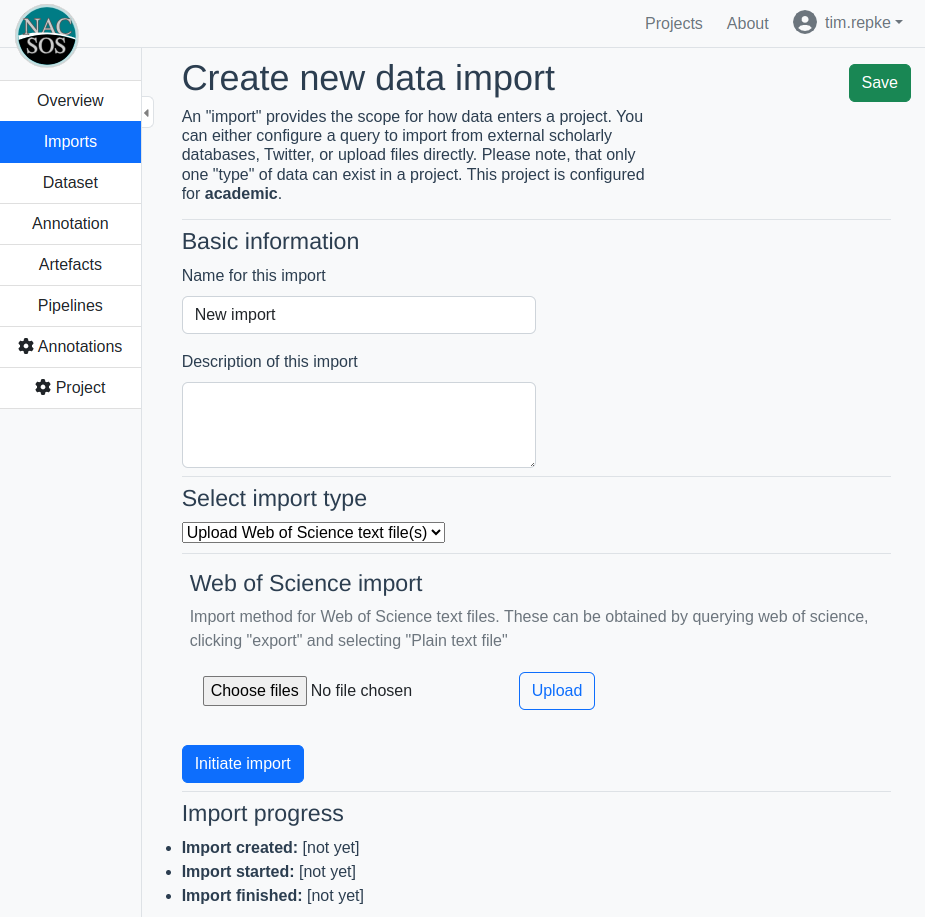
- Provide a name and description, click save
- Select the exported file(s), click upload and then save
- Click "initiate import"
You can track the progress by checking the pipeline log.
If the import fails, it's a good idea to check if each text file ends with "EF" on a single line. If not, edit this into the files and try again.
Common Issues⚓︎
- When importing RIS documents, having a missing or added character that disturbs the file format often causes errors when importing. If you are editing a RIS file by hand, make sure to track your changes and/or use an online format checker (e.g. https://citeme.app/tools/ris-to-ieee)